AI coloring book generator
Make a whole coloring book from one sentence.
Describe a theme and an age group. Larkpress draws every page as clean black-and-white line art, builds the print-ready interior PDF, paints a cover with the spine sized to your page count, and writes the Amazon KDP listing.
Free to start · 50 credits · No credit card
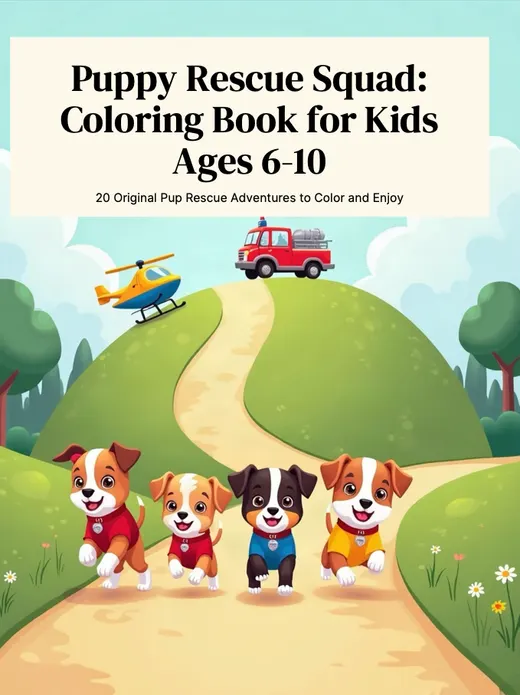
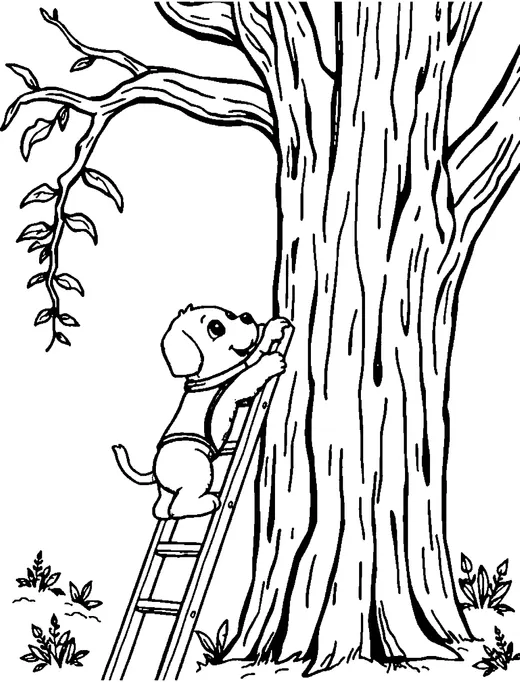
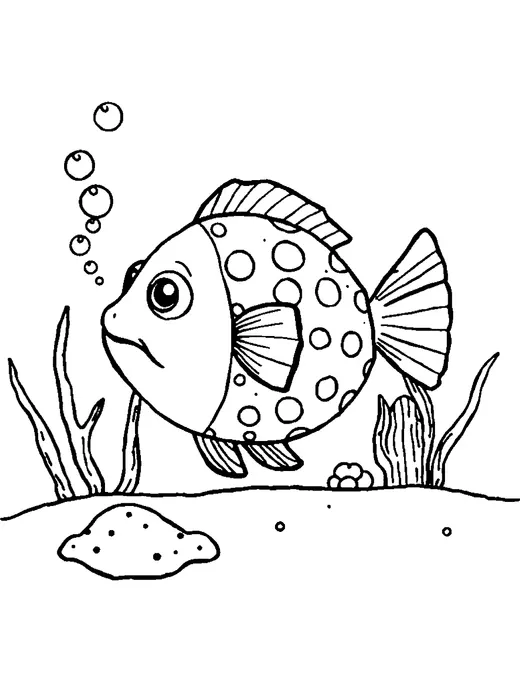
A coloring book, not a folder of pictures
Most AI image tools stop at single pages. A book you can sell needs much more, so every run ends with files you can upload to KDP.
Pure line art on every page
Pages are cleaned to solid black lines on white, with no grey shading, so they print crisply and color well. Pages that come out almost blank or mostly black are redrawn automatically.
Single-sided interior
Each drawing gets a blank back so markers don't bleed through, plus a title page, a "this book belongs to" page and a closing page.
Cover with spine
The full wrap cover (back, spine, front) is sized from your trim, page count and paper type, with bleed on every edge and room for the KDP barcode.
Listing copy
A KDP title, subtitle, description, seven keyword phrases and suggested categories, written for your theme and audience.
Coloring books for kids, toddlers and adults
Pick the audience and the line style follows it. Ages 3–6 get very simple shapes with thick lines and large areas. Ages 6–10 get simple scenes with medium lines. Adult books get intricate patterns with fine lines.
Turn your own photos into coloring pages
Upload photos in the Create chat and choose how to use them: turn each photo into its own coloring page (pets, family, a favourite place), or use them as a style reference for a book of new drawings. It's a simple way to make a personalised coloring book or a gift.
Redraw any page you don't love
Open the book, pick a page and redraw it for 1 credit. The interior PDF and ZIP update with the new page.
How it works
Three steps, a few minutes.
- 1
Describe the book
For example: "Ocean animals coloring book for kids 6–10, 8.5 × 11." The chat asks only what it still needs.
- 2
Check the plan and cost
You see the page count and the exact credits before anything is spent.
- 3
Download and upload
Get the interior PDF, cover PDF, listing and a ZIP of everything. Check the files in KDP's previewer, then publish.
What you get
- Pages
- 20–60 drawings, single-sided
- Trim sizes
- 8.5 × 11, 8.5 × 8.5, 8 × 10 or 6 × 9 in
- 300 DPI, bleed, KDP gutter margins
- Cover
- Full wrap with spine, white or cream paper
- Cost
- 1 credit a page, 3 for the cover, 1 for the listing
- Free trial
- 50 credits, files watermarked
FAQ
Common questions
Can I sell coloring books made with AI on Amazon KDP?
Yes. KDP accepts AI-generated books but asks you to say so when you publish. Answer that question honestly. Avoid trademarked characters and brands.
Who owns the pages?
You do. You can sell what you make with Larkpress commercially.
How long does a book take?
Usually a few minutes for a 20-page book. Bigger books take longer because every page is drawn and checked.
Can I make a coloring book from my own photos?
Yes. Attach photos in the Create chat and each one becomes a line-art page, or they guide the style of new pages.
Does it upload to KDP for me?
No. KDP has no upload API, so you upload the interior and cover yourself. It takes a few minutes.

Your first digital product is one sentence away.
Start free with 50 credits. No credit card. Cancel anytime.